It may seem as if all
Internet connections are the same, but some differences--beyond price--exist between Internet service providers, and between types of connections that a single ISP offers. This guide is designed to help you choose the ISP and the connection that best suit your small or midsize business or organization.
Internet Connection Types
When shopping for Internet access, you'll probably encounter several marketing terms frequently.
Broadband and
high-speed are used to describe pretty much any type of Internet connection that provides bandwidth speeds faster than traditional dial-up access--and nearly all connections offered today qualify as faster than dial-up.
Wideband, a relatively new term, refers to connection types that provide throughput at levels approaching or exceeding 50 mbps.
Here are the three most common connection types you're likely to see when shopping for an ISP.
DSL: This is generally the cheapest connection type, with business-class prices ranging from $30 to $90 per month. Though DSL uses traditional telephone lines, you can carry on voice calls and transfer data simultaneously. DSL performance depends on how far your location is from the ISP's exchange, but speeds may reach 15 mbps for downloads and 1 mbps for uploads, which can support a dozen typical users simultaneously or a point-of-sale system.
Cable: This is one of the most popular connection types. Monthly prices for cable range from $60 to over $300. The technology works over standard television cable lines, but it permits concurrent TV viewing and even digital phone use.
ISPs may offer cable speeds of 50 to 100 mbps for downloads and 2 to 10 mbps for uploads--enough for a few dozen simultaneous users. Cable connections share bandwidth among other users in the vicinity, so speeds may be slower during peak (work) hours.
Fiber: This newer connection type offers superior performance. Telecommunication companies have been using fiber-optic lines in their backbone infrastructure for some time now, and in the past few years they have extended the fiber connections closer to end-users. Some companies run
fiber-optic cabling to a neighborhood distribution point, as is the case with
AT&T U-verse, and then make the connection to individual buildings via existing copper lines. Others, like
Verizon FiOS, are installing fiber connections all the way to their customers. Fiber-optic connections permit download speeds of 15 to 150 mbps and upload speeds of 5 to 35 mbps. Monthly pricing ranges from $70 to $200. Since fiber provides such high bandwidth, it can easily provide TV, phone, and Internet service for 24 simultaneous users.
Bandwidth Speed

ISPs offer a couple of service levels or plans for each connection type. The main point of distinction between levels is the bandwidth speed. Choosing a suitable speed is one of the key decisions you must make.
Generally, the greater the number of people who'll be using the connection, the more bandwidth you'll need. In addition, the more performance-intensive the users' needs are--for example, watching or streaming video, downloading large files, or
using Internet-connected VoIP phones--the more the bandwidth you'll need. On the other hand, users who want to use their connection for email and browsing the Web won't need as much bandwidth.
Some ISPs have begun to
cap data usage. Under a
data cap, if you exceed the data transfer limit during a billing cycle, the ISP may automatically throttle back your speeds for the remainder of the cycle, or it apply a surcharge to your bill. But unless you stream an extensive amount of video or download a great many large files, you probably won't run afoul of a data cap.
The Fine Print


Make sure to read the fine print of SLAs and other service contract documents.It's important to read and analyze the fine print of a service provider's contract before signing up. The prices that most companies post online are conditional: Many require contracts, ranging from one to three years in order to get the advertised monthly service rate. In addition, some prices include a discount for a set amount of time or are locked in for a limited period. You may even see prices listed that apply only when you arrange to subscribe to a bundle of Internet, phone, and TV service.
Most ISPs offer a
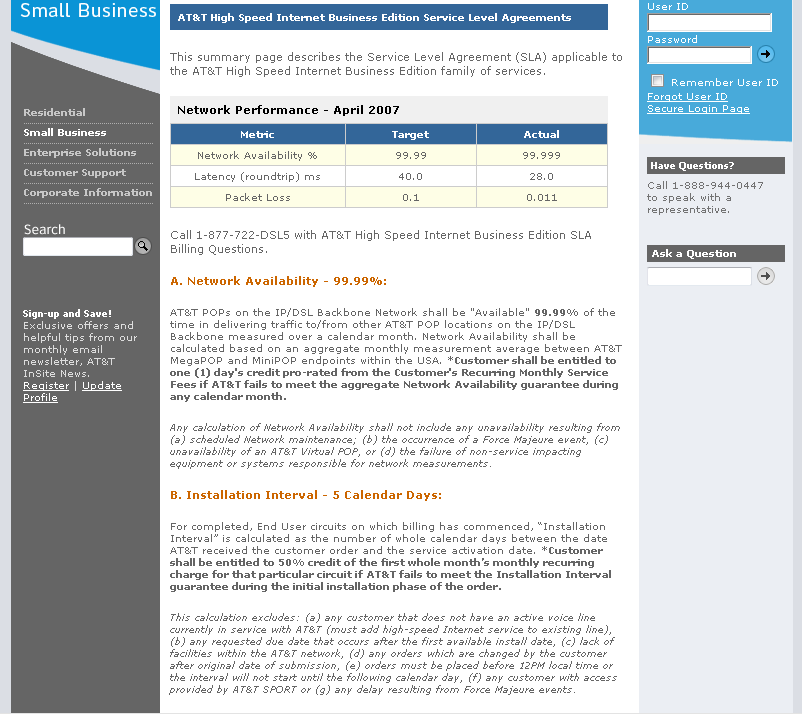
service level agreement (SLA) that spells out the service's performance and support terms, including up-time guarantees, support availability, and guaranteed response-time for support or fixes; they usually also state your compensation if the ISP fails to meet its obligations under the agreement. Compare the SLAs of any providers you're looking at before you sign a contract.
Other policies of note are the ISP's subscriber agreement, its terms of service (
ToS), and its acceptable use policy. These documents state the rules governing how you may use the service, including any bandwidth or data usage limits that may be in force. You can browse the ISP's site for these documents or run a Google search for the company name and the word "policies."
Equipment and Installation Fees

Consider the hardware each ISP provides. Some services provide nothing more than a basic modem, while others may give you a gateway that includes a router with ethernet ports, firewall protection, or even a built-in
Wi-Fi router. ISPs rarely post this type of information on their website, so you'll probably have to call the service's sales line for details.
Installation or activation fees are another variable. Some companies provide free installation and activation, but most make waiving the associated fees (typically $100 to $150) contingent on your accepting a one-, two-, or three-year contract.
Since ISPs usually install the basic Internet modem or gateway and verify access on a single computer, you'll likely be responsible for setting up the service on your other computers. DSL providers normally provide kits for the user to install, in lieu of offering professional installation; fortunately, most such kits are easy to set up.